Code Agent SDK tutorial
Create an API key and run an SDK app
Create a one-time key in Autohand Console, make it available only to your server process, and start an SDK-backed Code agent from TypeScript.
Before you start
- An Autohand account that can sign in to Console.
- Node.js 20+ or Bun, plus a TypeScript runner such as
tsx. - Autohand Code available to the process that runs the CLI-backed SDK.
The Code Agent SDK starts and controls the Autohand runtime. Hosted Autohand requests read AUTOHAND_API_KEY from the environment of that runtime.
1. Create a key in Console
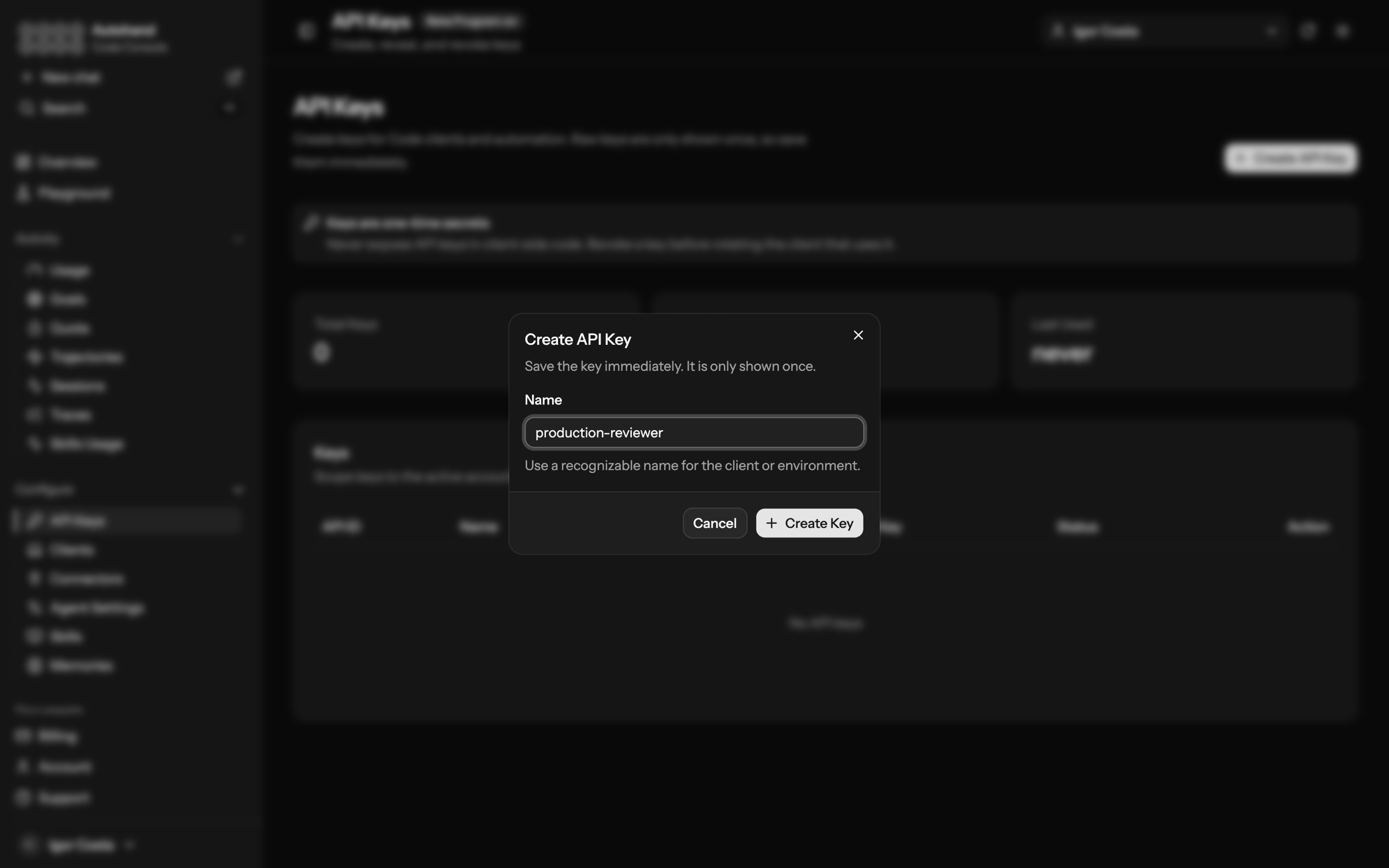
- Open Console → API Keys.
- Select Create API Key.
- Name the application or environment, for example
production-reviewer. - Select Create Key and copy the value immediately.
2. Install the SDK
npm
npm install @autohandai/agent-sdkBun
bun add @autohandai/agent-sdkUse a separate project directory for the app. The agent's cwd is the repository it can inspect and work in.
3. Keep the key out of your source tree
Set AUTOHAND_API_KEY in the deployment's secret manager, CI secret store, or the shell that launches the process. Add any local .env file to .gitignore; do not place a raw key in client-side JavaScript, source code, or a checked-in configuration file.
macOS / Linux
export AUTOHAND_API_KEY="your-api-key"
export AUTOHAND_MODEL="fantail"
npx tsx src/review.ts
PowerShell
$env:AUTOHAND_API_KEY = "your-api-key"
$env:AUTOHAND_MODEL = "fantail"
npx tsx src/review.ts
fantail is the quick, latency-first default for focused coding loops. Use moa when the task needs repository-wide context and deliberate reasoning; see Autohand models for the current model choices.
4. Run a small application
src/review.ts
import { Agent } from '@autohandai/agent-sdk';

const agent = await Agent.create({
  cwd: process.cwd(),
  instructions: 'Review changes carefully. Explain risks before suggesting edits.',
  permissionMode: 'interactive',
});

try {
  const run = await agent.send('Review the current branch for release risks.');

  for await (const event of run.stream()) {
    if (event.type === 'message_update') {
      process.stdout.write(event.delta);
    }
  }

  const result = await run.wait();
  console.log('\n\nFinal:', result.text);
} finally {
  await agent.close();
}
This application streams assistant text while the run is active, waits for the final result, then closes the agent even if the run fails. Keep permissionMode: 'interactive' until you have a reviewed approval policy for your workload.
5. Verify and rotate
- Run the app against a safe repository and confirm it streams a response.
- Open Console → Usage to confirm activity and quota information for the account.
- When replacing a secret, create a new key, update the deployment, verify the new process, then revoke the old key in Console.
If a key is exposed, revoke it immediately. A one-time key display means Console cannot recover the original secret for you.
Next steps
- Read the multi-language SDK quickstart for Python, Go, Java, Swift, Rust, Ruby, C#, and C++ examples.
- Use the TypeScript SDK guide for sessions, step control, and concurrent-agent awareness.
- Use Autohand Console to manage the key and monitor account-level usage.