Account and privacy
Manage your Autohand Code account
Use Autohand Console to update your profile, inspect connected sign-in methods, manage your plan, export your data, or close your personal account.
Open the right account
- Open console.autohand.ai and sign in with your Autohand identity.
- If you belong to more than one account, use the account switcher in the top bar before making a change.
- Select Account in the lower part of the Console sidebar.
- Confirm the plan and connected sign-in providers belong to the account you intended to manage.
Your Console and Autohand Code sessions use the same identity. Changing a profile field does not rotate API keys or disconnect a signed-in Code client.
Know what each control changes
| Area | What you can do | Check before saving |
|---|---|---|
| Profile details | Update your display name, phone, company, location, and public profile links. | Your email is the sign-in identity and is not edited in this form. |
| Connected accounts | See the sign-in providers attached to your identity. | Keep at least one working sign-in path available. |
| Plan and billing | Open the billing portal or schedule cancellation at the end of the billing period. | Verify the selected account and current plan first. |
| Export your data | Download an account export containing the categories listed in Console. | Raw API-key values and payment-card data are not included. |
| Delete personal account | Permanently remove the personal account and revoke Autohand access. | Export anything you need first. Treat deletion as irreversible. |
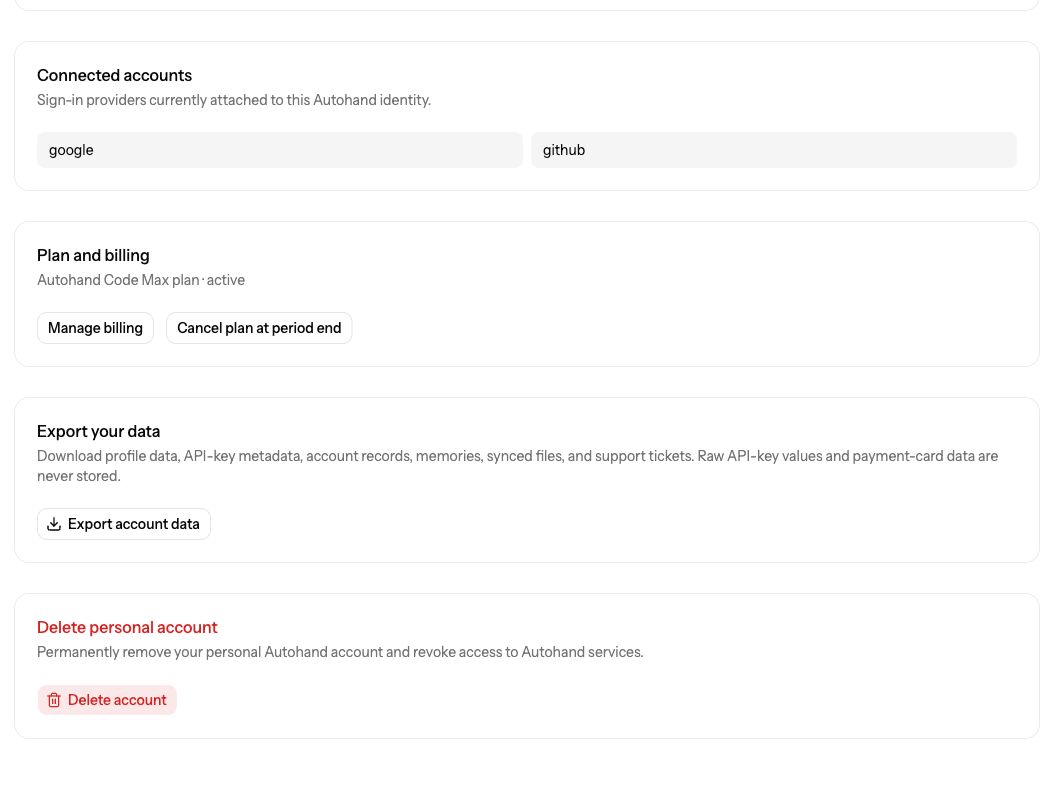
- Connected accounts
Confirm which providers can sign you in before changing access elsewhere.
- Plan and billing
Open billing management or schedule the plan to end at the close of its current period.
- Export your data
Create the account export before a major access or deletion change.
- Delete personal account
Use this only when you intend to remove the personal account permanently.
Update your profile
- Edit only the fields you want to change.
- Select Save changes.
- Reload Account and confirm the saved values.
- Use Open profile page to review the public-facing profile where applicable.
If the email is wrong or you cannot use a connected provider, contact Support rather than creating an unrelated identity.
Manage billing, export, or deletion
Billing
Select Manage billing for invoices and payment methods. A cancellation control schedules the plan to end at the period boundary shown by the billing system; it does not mean the account itself is deleted.
Export
Select Export account data and keep the downloaded file in an appropriate private location. The Console description is the source of truth for what the current export contains.
Delete
Export first, verify that you selected your personal account, then select Delete account. Read the confirmation carefully. Do not use account deletion as an API-key rotation or sign-out mechanism.
Completion checkpoint
You are finished when the Account page shows the intended profile, sign-in providers, and plan, and any export has downloaded successfully. For API credentials, use API Keys. For model usage and limits, use Usage.